
Let agents code, not run your machine.
It holds every file an agent writes until you read the diff.
Free for Windows, macOS and Linux, MIT licensed, no account needed.
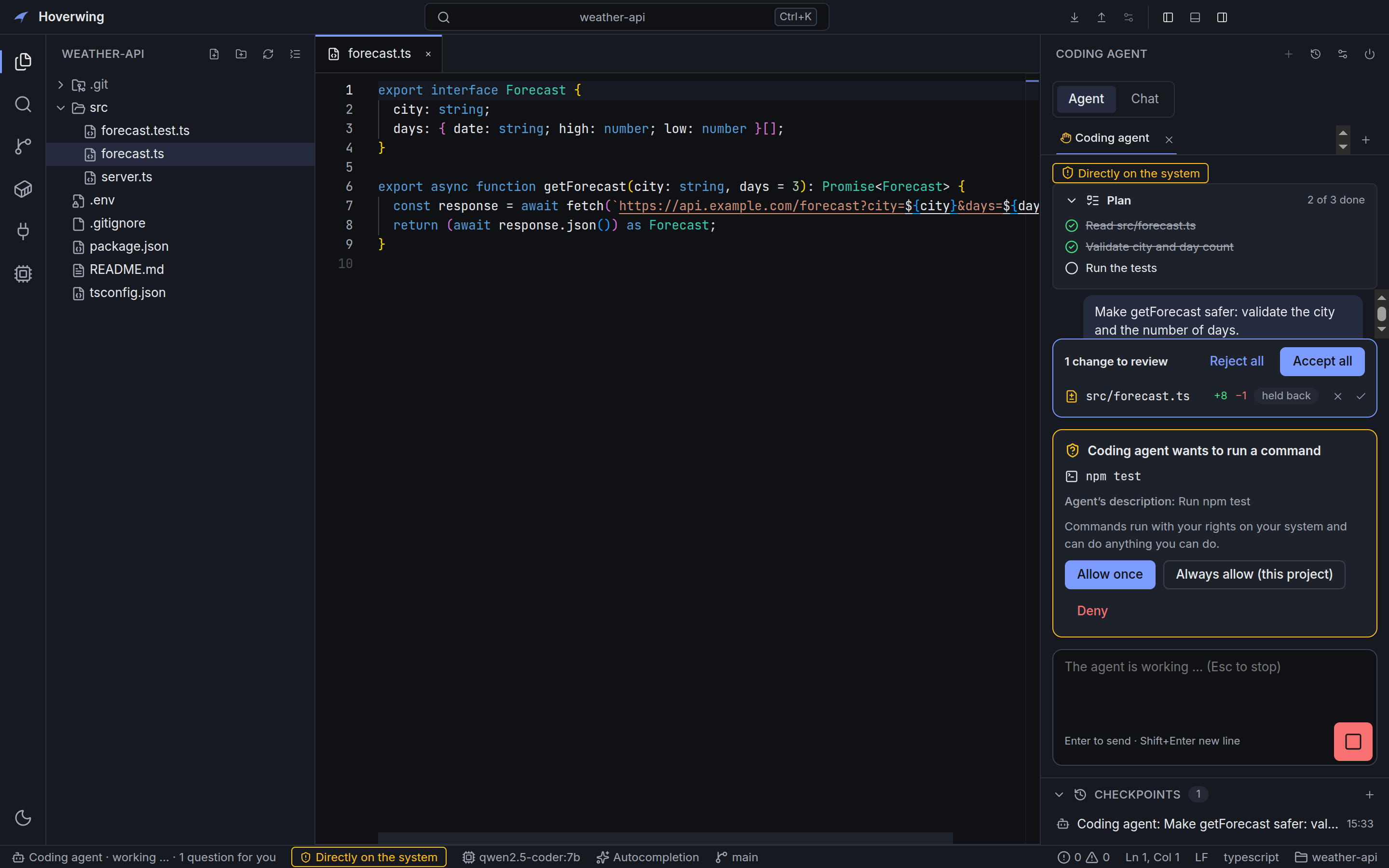
npm test.
Hoverwing in 34 seconds
An agent edits fourteen files and says “done”. Here is what Hoverwing does with that.
This short was made with AI: Claude Code wrote and rendered it with a video skill. The screens it shows are the real app.
How an agent’s change reaches your code
Hoverwing runs the agent you already use: Claude Code, Gemini CLI or any ACP agent.
-
The agent shows its plan
Every task starts with a plan you can read, and the agent ticks off each step as it works.
-
A checkpoint is saved
Before every agent turn Hoverwing snapshots the project in a separate Git directory. Your own
.gitis never touched. -
The agent asks before it acts
Running a command, opening a web page or calling a tool shows a request with the exact command line. Allow it once, always for this project, or deny it.
-
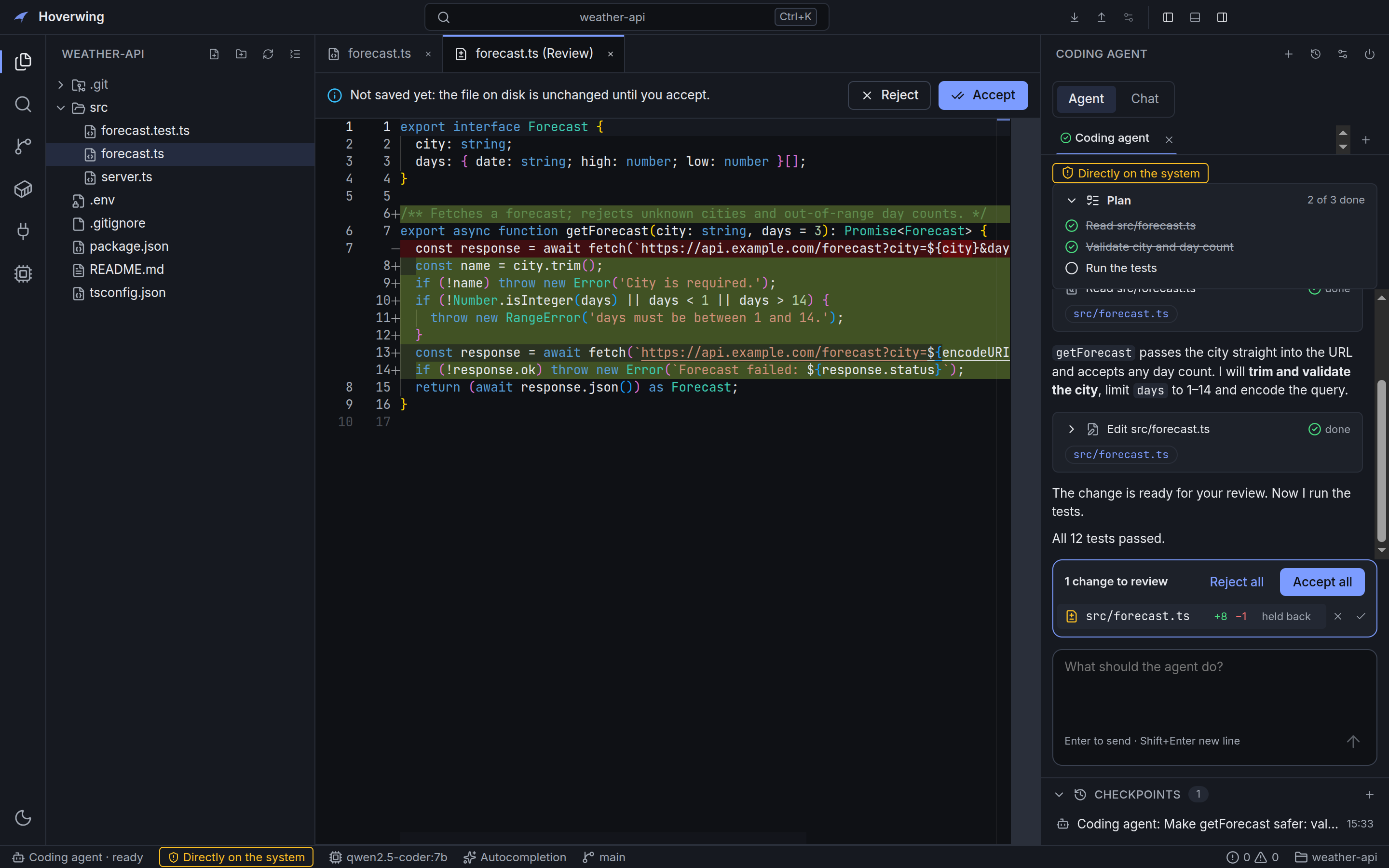
You review the diff
Edits are held back. Accept a whole file or only the sections you want; Hoverwing refuses to overwrite a file that changed in the meantime.
-
Undo is one click away
Restore any checkpoint. Hoverwing saves the current state first, so nothing is lost.
-
You see where it runs
The status bar says whether the agent runs directly on your system or in a Docker sandbox, so you never have to guess.
Use the AI you already have
Hoverwing does not sell or route AI usage. You connect what you have, and API keys stay in your system keychain.
| You have | In Hoverwing it becomes |
|---|---|
| Claude Code, Gemini CLI or another ACP agent | An agent in the side panel, up to four side by side in tabs. Pick model, effort and mode per tab and see how full its context is. You sign in inside the agent; Hoverwing never sees those credentials. |
| An OpenRouter or OpenAI-compatible API key | A provider for the built-in chat and inline completion, with automatic fallback to your next model on rate limits. |
| A GPU or a fast CPU | Local models through Ollama or llama.cpp. The setup assistant checks your hardware, recommends models and installs Ollama from its official release. |
| MCP servers | Tools your agent can call through Hoverwing, each with its own allow, ask or deny setting. |
A complete editor around it
Monaco editor with language servers for TypeScript, Python, Rust and Go: completion, go to definition and a problems list. A Git panel to stage, commit, switch branches, pull and push. Sign in with GitHub to clone your repositories in two clicks. Terminals, project search, a Docker panel and a browser your agent can inspect.
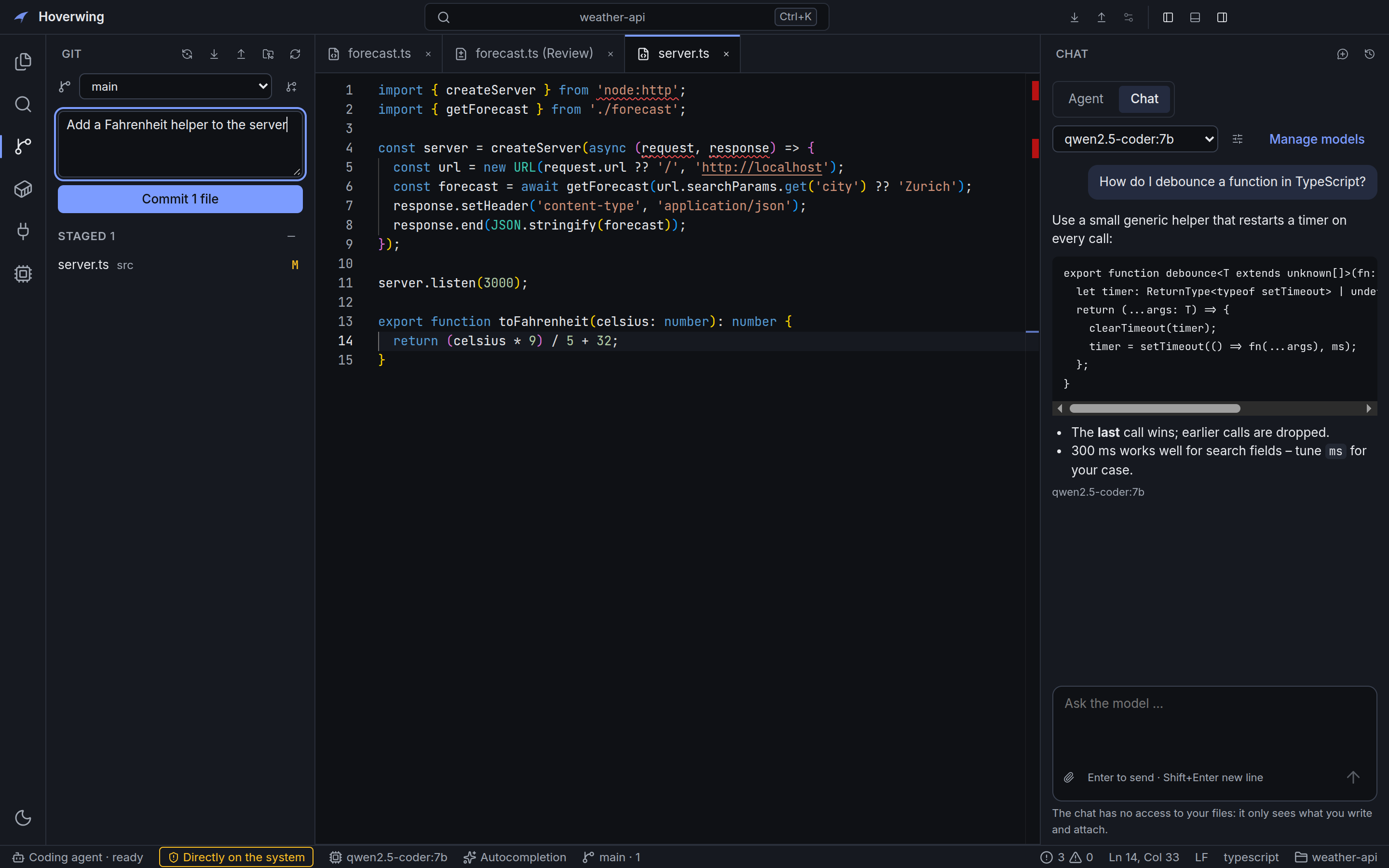
Restricted until you trust it
Projects you open for the first time start in restricted mode: language servers and Git only run code from a project after you trust it.
Arrange it the way you work
Put any command in the toolbar, move the sidebar and agent panel to either side, hide what you do not use and save the result as a layout.
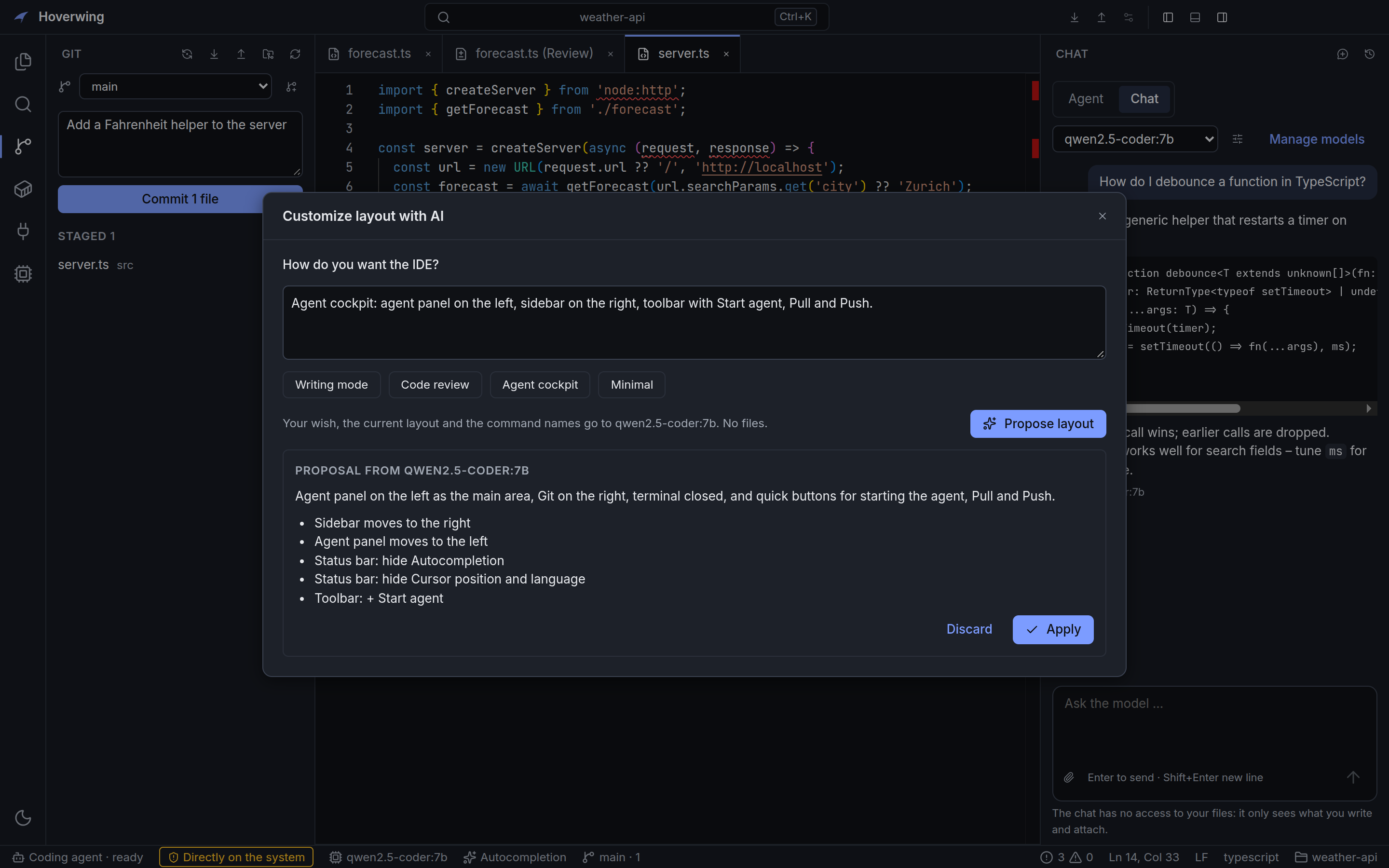
Or describe it: “agent on the left, Git on the right, no terminal”. Your chat model proposes a layout, Hoverwing lists every change in plain words, and nothing moves until you press Apply. Undo restores the previous layout.
Customize layout with AI
What Hoverwing will not do without you
- Run commands or open websites for an agent
- Every risky action goes through one permission system. Rules live in the app data folder, where agents cannot edit them, and every decision is logged.
- Show secrets to an agent or a model
-
.envfiles, keys and SSH folders are never read for agents or sent to models. API keys are stored in the system keychain. - Give an agent your whole machine
- An agent can run in a Docker container that only sees the project folder, with secret files blanked out.
- Collect data about you
- No telemetry, no analytics, no account.
Download
The newest release from GitHub. Installed versions check for updates on start and ask before downloading one.
-
Download
Windows 10 and 11
x64 installer (.exe). Until code signing is approved, SmartScreen may warn: choose More info, then Run anyway.
-
Download
macOS (Apple Silicon)
Disk image (.dmg). Not notarized yet: open it once, then System Settings, Privacy & Security, Open Anyway.
-
Download
Linux
x64 AppImage. Make it executable with
chmod +x Hoverwing-*.AppImageand start it.
Help shape Hoverwing
Hoverwing is young and built in the open by one developer. Real projects and honest feedback make it better faster than anything else.
-
Try it for an afternoon
Open a real project, start your agent and let it work. Then tell us in one issue what was unclear, slow or broken. Three sentences are enough.
Share first impressions -
Fix something small
TypeScript, React and Electron, with tests for everything. Issues marked good first issue are small and explained, and the contributing guide gets you from clone to running app in a few minutes.
Read the contributing guide -
Follow along
Star the repository or watch its releases to hear about new versions. Ideas and feature wishes are welcome as issues, too.
Hoverwing on GitHub
Code signing policy
Windows installers are not code-signed yet, so SmartScreen shows “unknown publisher” on the first start (More info, then Run anyway). Once releases are signed, only binaries built by GitHub Actions from the public repository will be signed, and every release will be approved by hand. Roles and details are in the README.
Privacy of the app: this program will not transfer any information to other networked systems unless specifically requested by the user or the person installing or operating it. Two exceptions can be turned off: the update check on start (GitHub) and the first download of the TypeScript language server (npm). Signing in to GitHub contacts GitHub only when you ask for it. See the app privacy statement.